Scan recommendation
Code · Template: Scan to recommendation agent · Runs on http://localhost:3010
Add a person, send them through a 30 second face scan, watch the results land on them, and chat with the agent about products that fit.
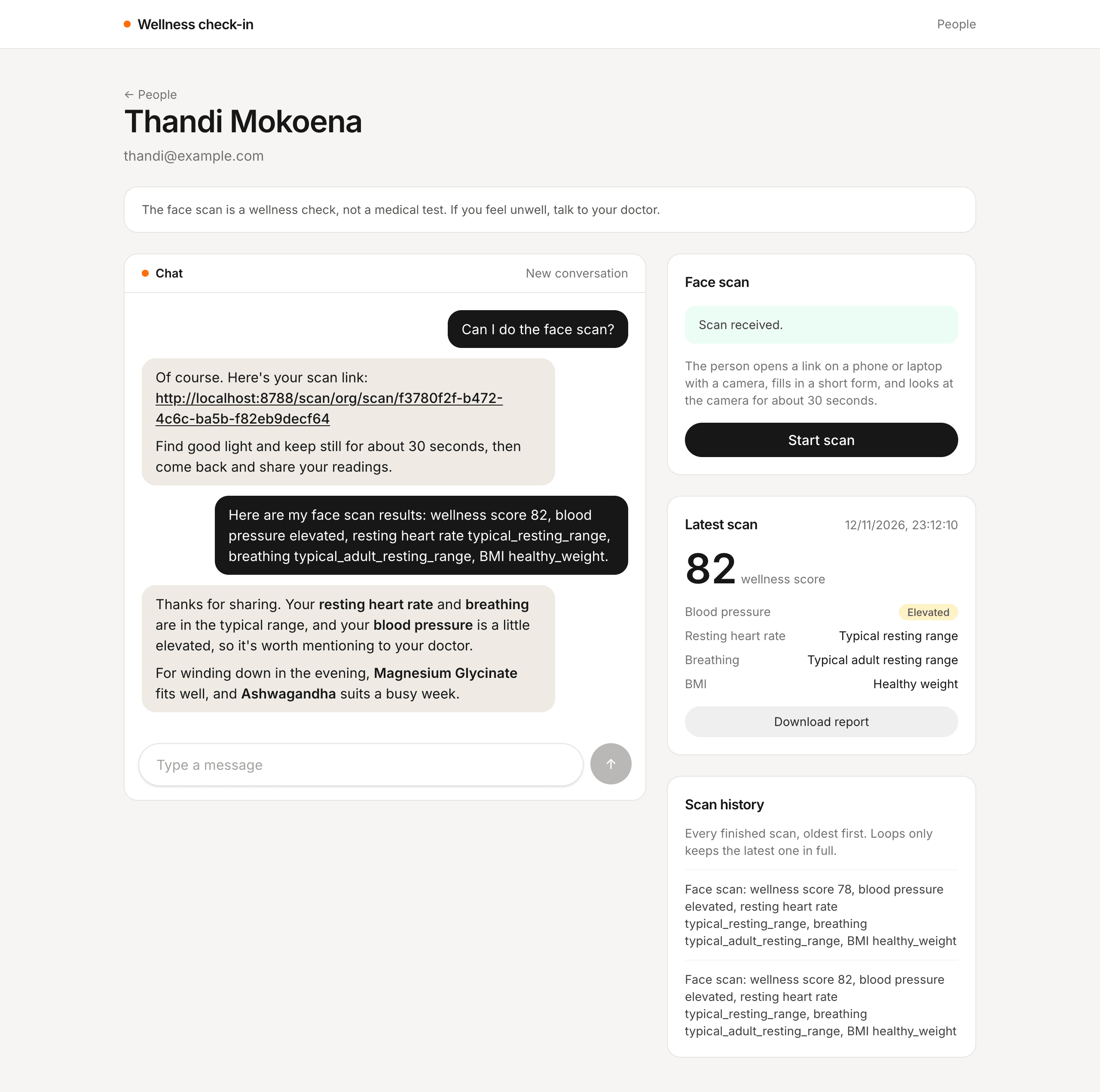
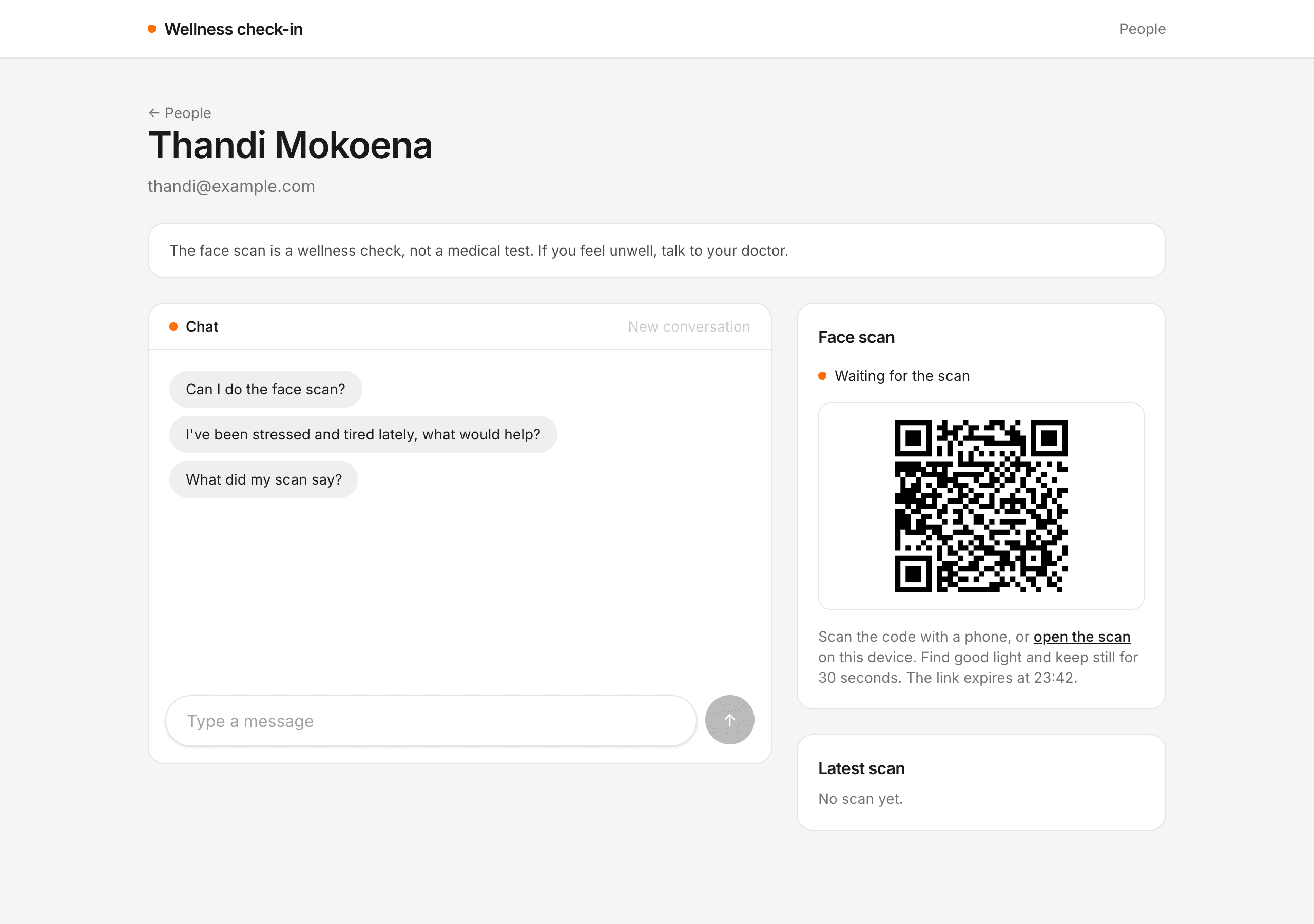
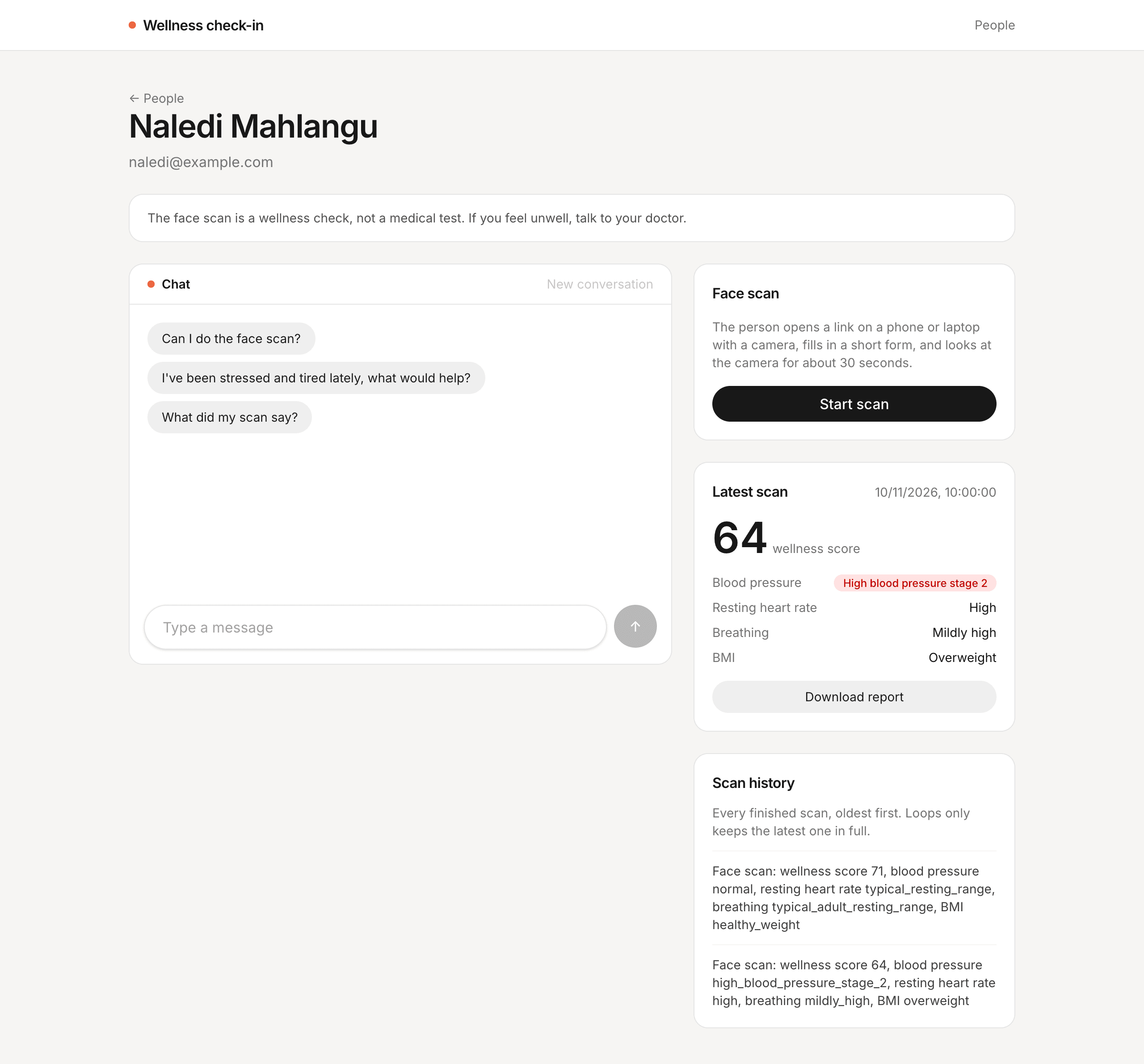
| Waiting for a scan | A person with earlier scans |
|---|---|
 |  |
What it shows
- Getting a scan link from a trigger. Triggering
scan-recommendation-scanreturns ascanUrlstraight away. The app shows it as a link and a QR code. The scan page is hosted by Loops and needs a camera. - Waiting without a status endpoint. The app refetches the person until
latestScan.scanIdchanges. After 30 minutes it shows Scan not completed and offers a new link. - Telling the agent the results. The agent can’t read the scan, so the first message carries the latest results, and Share my results sends new ones mid-conversation.
- Spotting a link in a reply. The agent can start a scan itself. The app recognises the scan link in the reply and waits for it like one it started.
The endpoints it uses
| Endpoint | Used for |
|---|---|
POST / on scan-recommendation-scan | Starting a scan and getting its link. |
POST /chat on scan-recommendation | Sending one message and getting the reply. |
GET /users | The people list, 50 at a time with Load more. |
GET /users/:userId | A person’s latest scan and scan history. |
Run it
- Deploy the Scan to recommendation agent template. The scan workflow deploys with the agent, so there’s nothing to tick.
- Copy the organization id, the
scan-recommendationloop id and thescan-recommendation-scanloop id. - In Settings → API tokens, create a token for the whole organization with access set to Run and read.
- Copy
apps/scan-recommendation/.env.exampleto.envand fill inLOOPS_API_URL,LOOPS_ORGANIZATION_ID,LOOPS_AGENT_LOOP_ID,LOOPS_SCAN_LOOP_IDandLOOPS_API_TOKEN. - Run
bun run dev --filter=scan-recommendation.
Take the scan in a browser that can run the scan engine, such as Chrome, Firefox or an up-to-date Safari. A phone is usually easiest.
Where to look in the code
| File | What it does |
|---|---|
src/lib/loops.ts | Server functions for the Loops endpoints, and helpers for scans. |
src/lib/people.ts | What Loops doesn’t store: names, transcripts and open scan links. |
src/routes/index.tsx | Everyone in Loops, plus people added here who haven’t scanned yet. |
src/routes/people.$personId.tsx | The scan panel, latest scan, history and the chat. |
Last updated on