Loops docs
What is a loop?
A loop (a Health Loop) is your workflow. In short:
- Instructions — what the loop should do (your code).
- Triggers — what starts a run; the platform calls
runon your class. - Tools — calls out to other systems (integrations, HTTP, and similar).
- Outputs — what each run produces or sends outward.
- Event log — what fired, what was called, what came back, and what failed—available to read later.
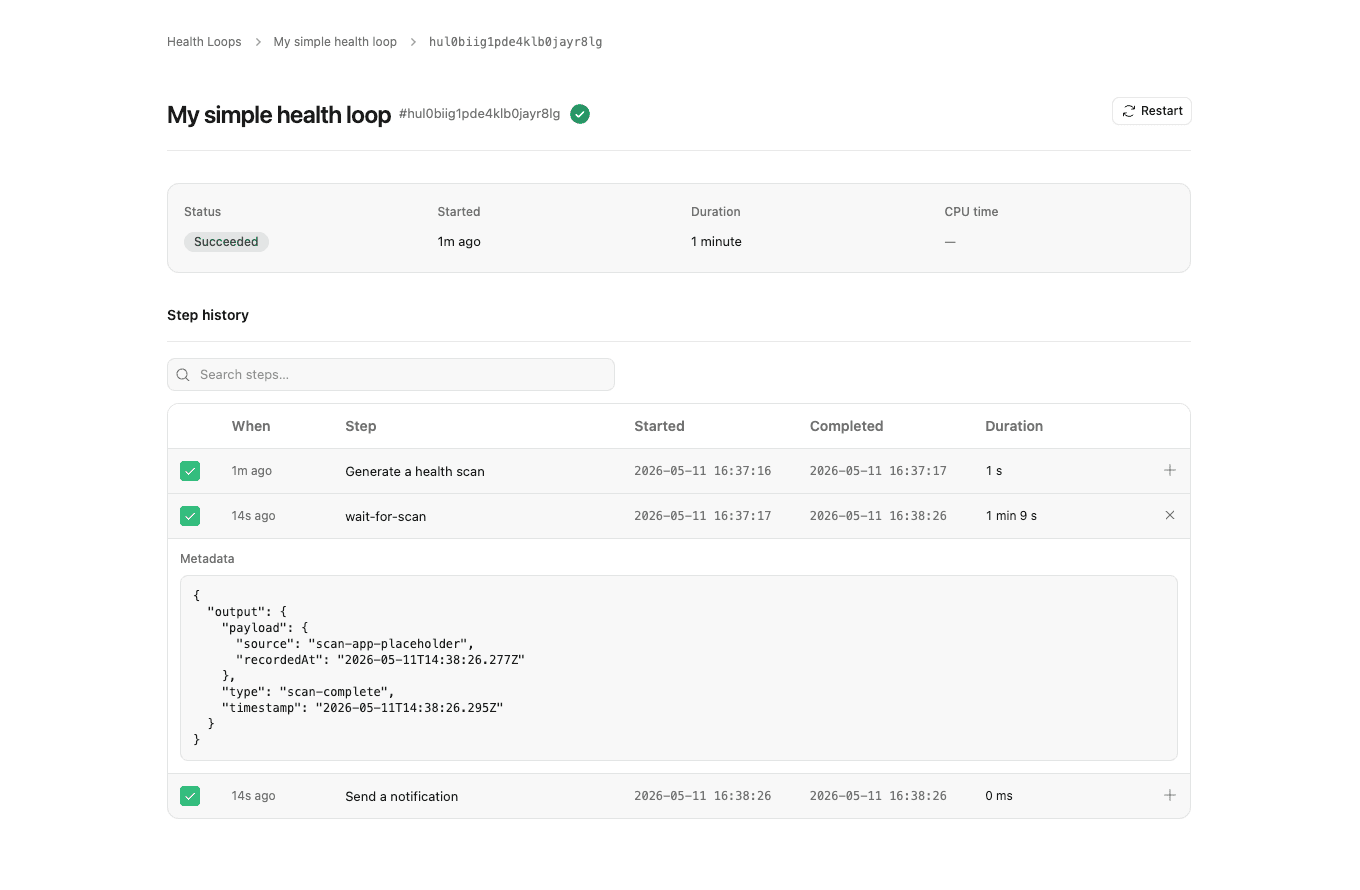
The snippet below maps the same pieces to code (// comments show which is which).
export class HealthLoop extends Workflow {
  async run(event: HealthEvent, step: HealthStep) {
    // Trigger — input for this run (payload from API, schedule, …)
    const { patientId, phoneNumber } = event.body;

    // Instructions — named `step.do` calls and waits, in order
    await step.do("Generate a health scan", async ({ ctx }) => {
      // Tool — built-in integration (FACIAL_SCAN)
      await ctx.FACIAL_SCAN.create({
        expiresIn: 3600, // 1 hour
        metadata: { patientId, phoneNumber },
      });
    });

    // `waitForScan` suspends the run until the scan finishes (or times out),
    // then returns the results — no separate read step needed.
    const scan = await step.waitForScan({ timeout: "30 minutes" });

    await step.do("Send a notification", async () => {
      // Tool + output — your HTTP call; this is the outward result
      await fetch("https://api.example.com/send-notification", {
        method: "POST",
        body: JSON.stringify({
          patientId,
          phoneNumber,
          scanResult: scan.results,
          reportUrl: await scan.pdfUrl(),
        }),
      });
    });

    // Event log — steps and `console` are recorded for you (nothing extra to add)
  }
}
Loop code is versioned when you deploy; each run carries its own steps, tool traces, and log lines.
Loop types
Three loop shapes are available when you create a loop:
| Type | Base class | Entry point | Use for |
|---|---|---|---|
| Workflow | Workflow | run(event, step) | Durable, step-by-step automations — scans, notifications, API calls. |
| Agent | Agent | onChatMessage() | Multi-turn chat — concierges, intake bots, triage assistants. |
| Voice | VoiceAgent | onTurn() | Spoken conversations — phone intake, follow-up calls. |
Workflow loops produce runs with a step timeline. Agent loops produce sessions with a chat playground. Voice loops produce runs (one per call). See Agent loops, Voice loops, and Loop-as-tool for the conversational shapes and declaring other loops as tools.
Last updated on