Protocol
Code · Template: Protocol agent · Runs on http://localhost:3006
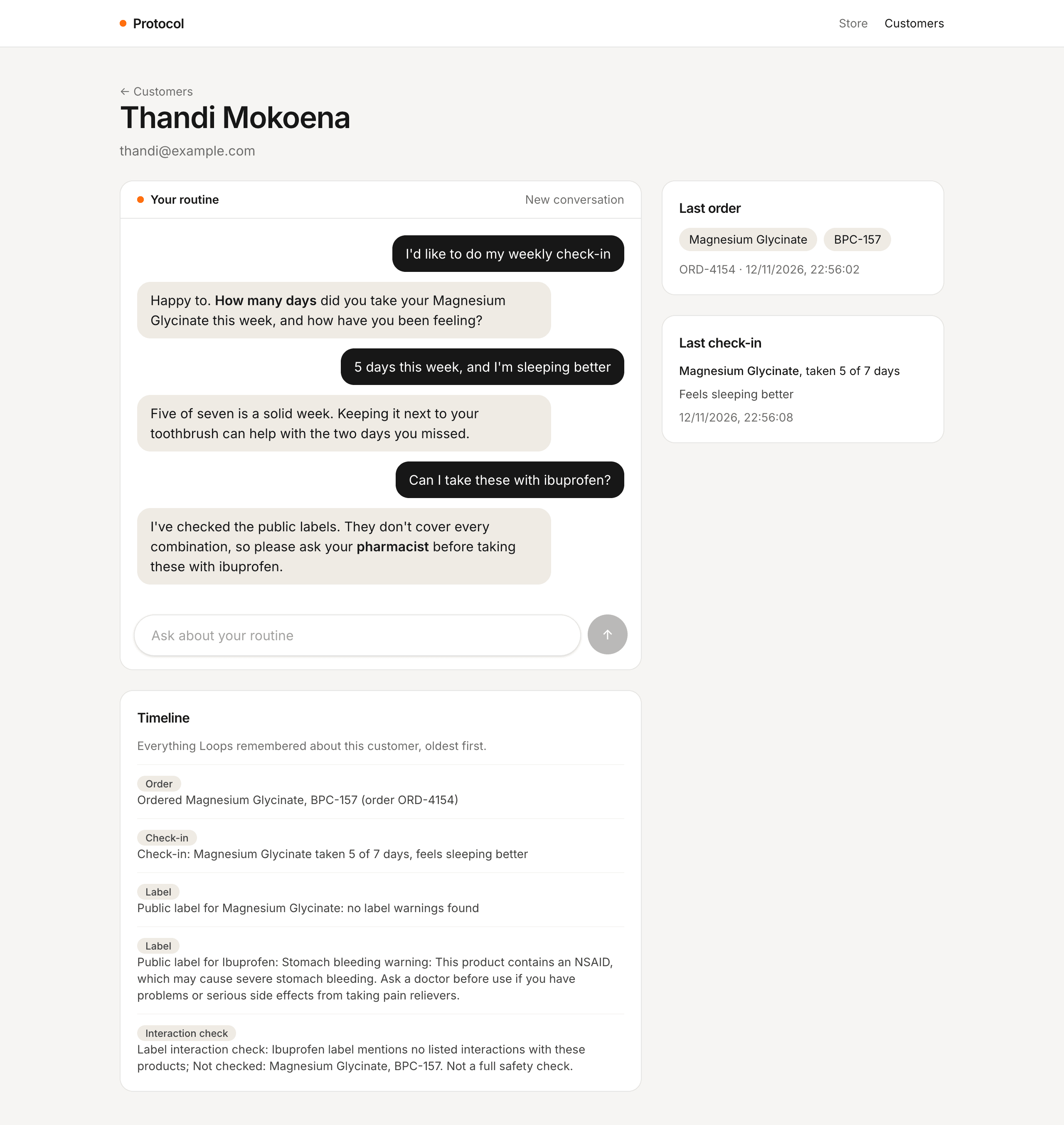
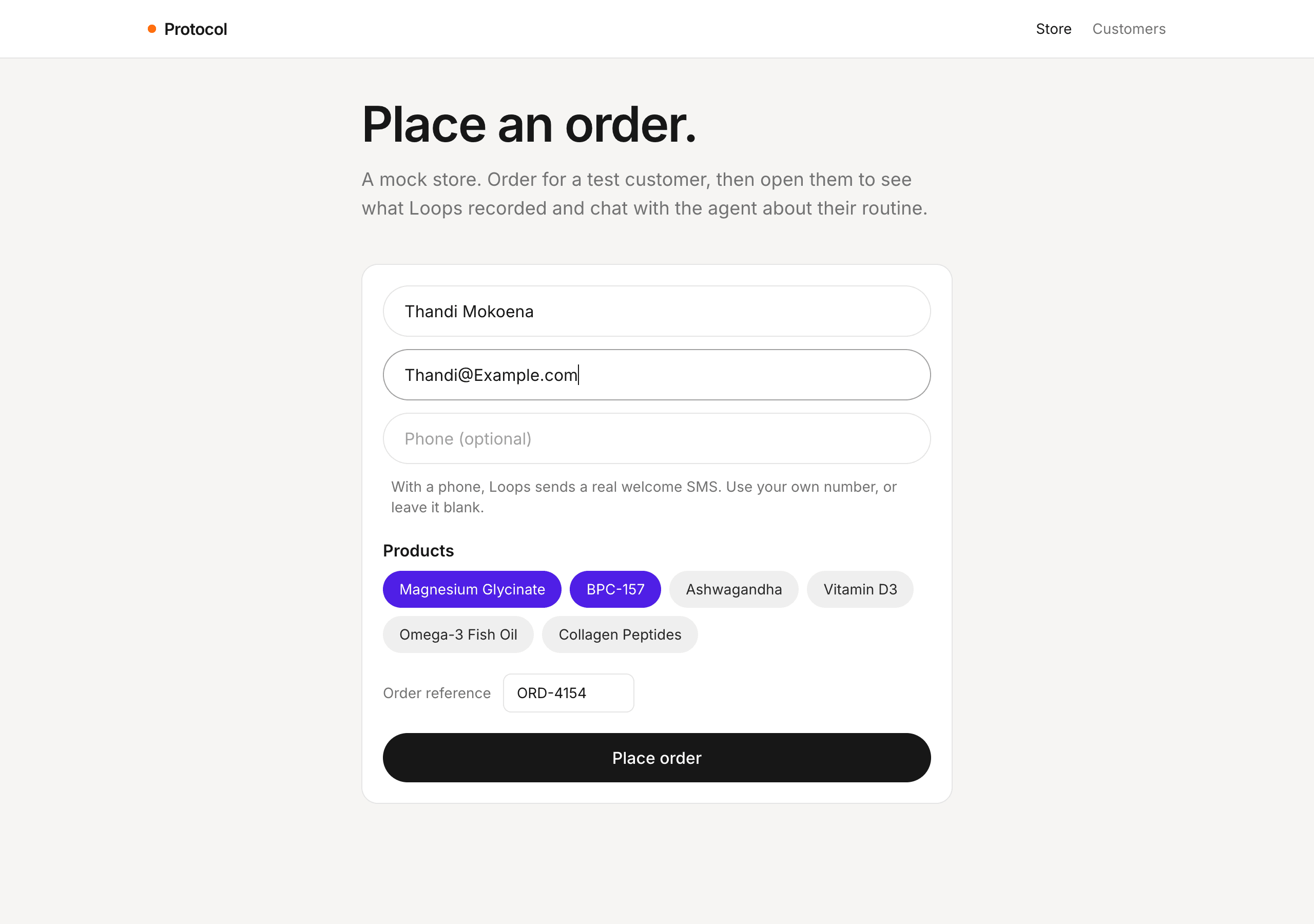
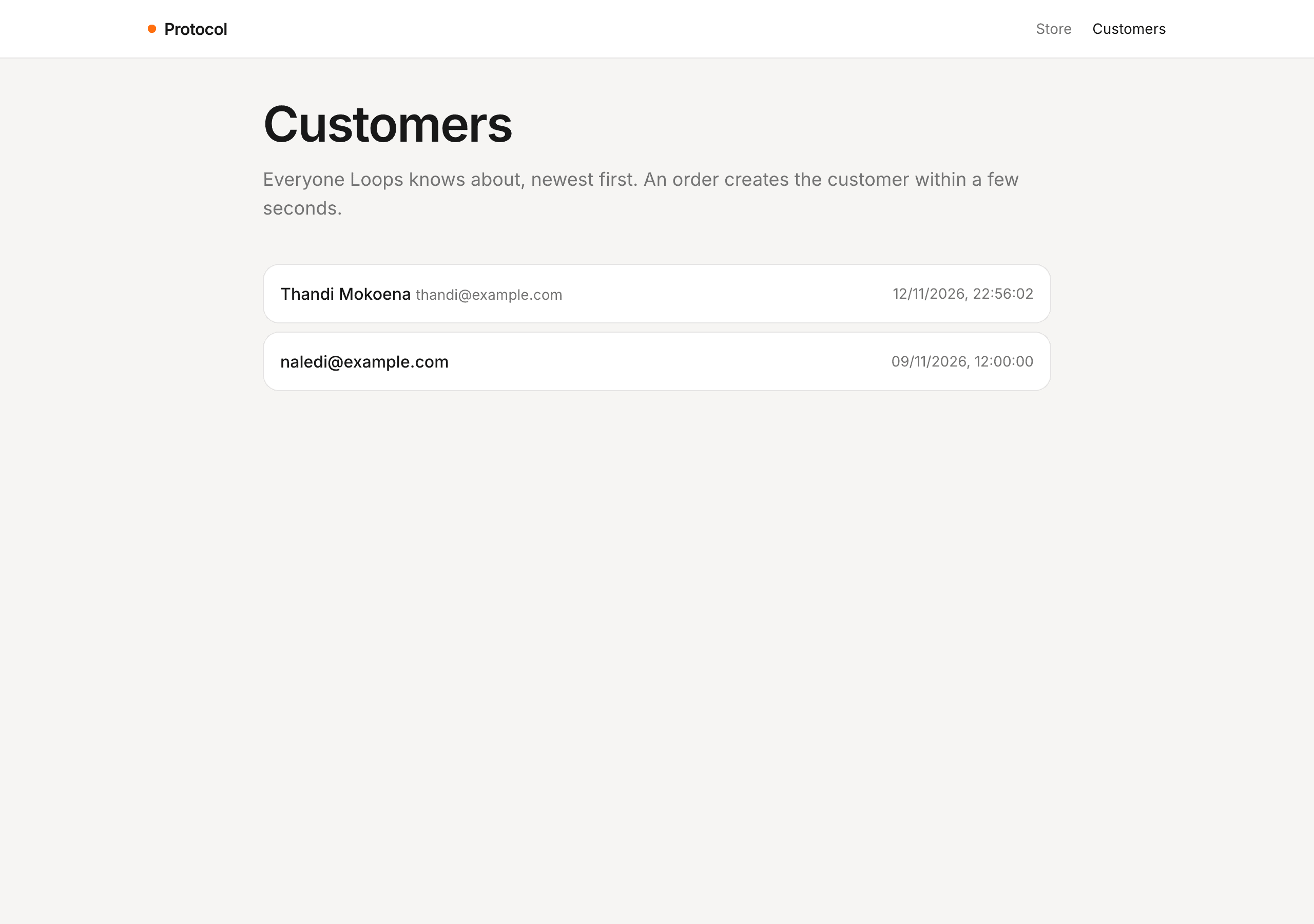
A mock store. Placing an order creates the customer in Loops. Their page shows the order, their last check-in and a timeline of everything Loops remembered, next to a chat with the agent about fitting the products into their day.
| Placing an order | Customers |
|---|---|
 |  |
What it shows
- Starting a workflow from your app. The store posts each order to
protocol-order-welcome, which records it on the customer and sends a welcome SMS. See Triggering a run. - Telling the agent what they bought. The agent can’t read the customer, so the first message of each thread lists the products from their last order.
- Memory as a timeline. Metadata keeps only the latest check-in, and label checks are saved only as memory. The page tags each memory line as an order, check-in, label check or interaction check.
The endpoints it uses
| Endpoint | Used for |
|---|---|
POST / on protocol-order-welcome | Placing an order. |
POST /chat on protocol-agent | Sending one message and getting the reply. |
GET /users | The customer list, 50 at a time with Load more. |
GET /users/:userId | A customer’s order, last check-in and memory. |
The order body:
{
  "customerId": "thandi@example.com",
  "products": ["Magnesium Glycinate", "BPC-157"],
  "orderId": "ORD-1042"
}
With a phone, the workflow sends a real SMS, so leave it out or use your own number.
Run it
- Deploy the Protocol agent template and tick the optional
protocol-order-welcomeworkflow. - Copy the organization id, the
protocol-agentloop id and theprotocol-order-welcomeloop id. - In Settings → API tokens, create a token for the whole organization with access set to Run and read. The app calls two loops, and a token for one loop only works on that loop.
- Copy
apps/protocol/.env.exampleto.envand fill inLOOPS_API_URL,LOOPS_ORGANIZATION_ID,LOOPS_AGENT_LOOP_ID,LOOPS_ORDER_LOOP_IDandLOOPS_API_TOKEN. - Run
bun run dev --filter=protocol.
To put a chat link in the welcome SMS, set PROTOCOL_CHAT_URL under Variables and secrets on protocol-order-welcome.
Where to look in the code
| File | What it does |
|---|---|
src/lib/loops.ts | Server functions for the Loops endpoints. |
src/lib/customers.ts | What Loops doesn’t store: names, thread ids and transcripts. |
src/lib/products.ts | The store’s products, named as the brand’s catalogue names them. |
src/routes/index.tsx | The order form. |
src/routes/customers.$customerId.tsx | A customer’s order, last check-in, timeline and the chat. |
Last updated on